

Connect your Straumann scanner
Straumann scanners share cases through the Straumann / Dental Wings (CARES) cloud. Connect to Bridge Dental Lab, or export the file and email it.
Connect to us in the Straumann cloud using scan@bridgedentallab.com
Works with: Virtuo Vivo, DWIO
How to send us a Straumann case
Straumann / Dental Wings cloud.
Finish the scan in the Straumann / Dental Wings software.
Share the case with Bridge Dental Lab using scan@bridgedentallab.com.
Or export an open STL and email it to scan@bridgedentallab.com.
How to scan the bite
The bite scan tells us exactly how the arches meet — the workflow is the same on every intraoral scanner.
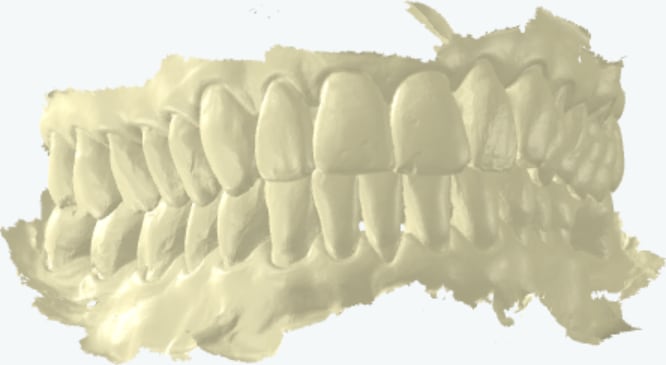
Scan the full upper arch, then the full lower arch.
Ask the patient to close into their normal bite (or the bite prescribed for the appliance) and hold it still.
Scan the buccal (cheek-side) surfaces with the teeth together — capture 3–4 teeth on both the left and right sides so the software can align the two arches.
Check on screen that the arches have snapped together correctly, then export and send as usual.
Retract the cheek and keep the buccal scan steady across both arches. If an appliance needs a specific bite — for example a protrusive construction bite for a snoreguard — capture it in that position and note it on the prescription.
What to include
- The appliance required
- Both arches scanned
- Bites, if required for the appliance
- Which practice the case is for, if you're a multi-practice dentist
Please send any Gold service scans before 11am so we can have your appliance back with you the next day.
No portal? Export an open STL, PLY or OBJ file and email it to scan@bridgedentallab.com. We accept scans from all major scanners with no extra fees — and every appliance order includes free 3D-printed models.
Other scanner guides
We connect to every major intraoral scanner.
Ready to send your first scan?
£20 off your first appliance with the code FIRSTSCAN, and free 3D-printed models with every order.